4.1
|
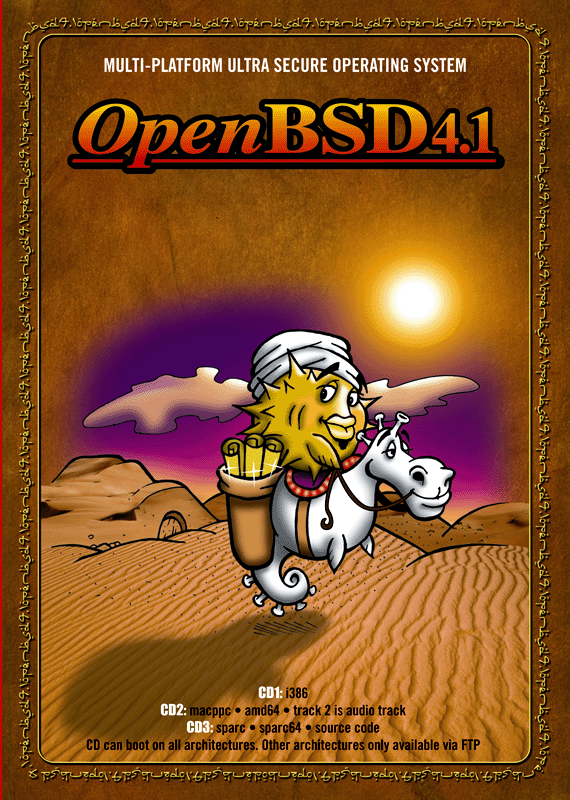
Released May 1, 2007 Copyright 1997-2007, Theo de Raadt. ISBN 978-0-9731791-9-4 4.1 Song: "Puffy Baba and the 40 Vendors"
All applicable copyrights and credits are in the src.tar.gz,
sys.tar.gz, xenocara.tar.gz, ports.tar.gz files, or in the
files fetched via |
What's New
This is a partial list of new features and systems included in OpenBSD 4.1. For a comprehensive list, see the changelog leading to 4.1.
- New/extended platforms:
- OpenBSD/landisk.
Various SH4-based appliances, made by IO-Data and resold by Plextor. - OpenBSD/sparc64.
UltraSPARC III based machines are now supported even better, and run at full speed now!
- OpenBSD/landisk.
- Removed platforms:
- OpenBSD/cats.
Because the machines are very hard to find, and the developers hate them.
- OpenBSD/cats.
- Improved hardware support, including:
- New USB client controller support:
- New cas(4) driver for Sun Cassini 10/100/Gigabit Ethernet devices.
- New uow(4) driver for Maxim/Dallas DS2490 USB 1-Wire devices.
- New owsbm(4) driver for 1-Wire smart battery monitor devices.
- New zyd(4) driver for ZyDAS ZD1211/ZD1211B USB IEEE 802.11b/g wireless network devices.
- New moscom(4) driver for MosChip Semiconductor MCS7703 based USB serial adapters.
- New glxsb(4) driver for hardware random numbers and AES acceleration on the AMD Geode LX processor.
- New vic(4) driver for VMware VMXnet Virtual Interface Controllers.
- New malo(4) driver for Marvell Libertas IEEE 802.11b/g wireless network devices.
- New pwdog(4) driver for Quancom PWDOG1 watchdog timer devices.
- New uberry(4) driver for Research In Motion Blackberry devices.
- New mbg(4) driver for Meinberg Funkuhren radio clocks.
- New mesh(4) driver for the on-board SCSI controller of old world Apple Power Macintosh systems.
- New mc(4) driver for the on-board Ethernet of many old world Apple Power Macintosh systems
- Improved msk(4) driver now supports many more Marvell Yukon-2 variants including dual port cards and fiber cards.
- The gem(4) driver now supports fiber cards.
- The OpenBSD/amd64 platform now has more accurate and robust time keeping.
- The OpenBSD/i386 boot(8) program now works properly on Intel-based Macs.
- The pciide(4) driver has had support added for newer chipsets, including:
- AMD CS5536 IDE;
- Intel i31244;
- NVIDIA MCP67 PATA, MCP67 SATA.
- The com(4) driver now supports ST16C654 devices.
- The adt(4) driver supports some newer chipsets, such as the ADT7475.
- The OpenBSD/macppc platform now automatically turns the machine back on following an unexpected loss of power.
- boot.mac an XCOFF formatted boot loader for OpenBSD/macppc capable of booting on many old world macs.
- New tools:
- BSD-licensed pkg-config(1), a complete rewrite of the GNU tool of the same name, significantly smaller and more maintainable.
- hoststated(8), a layer 3 and layer 7 server load balancing daemon with host monitoring capacities.
- new BSD-licensed ripd(8).
- bgplg(8), a CGI looking glass for OpenBGPD, is now available for use with the system httpd.
- bgplgsh(8), a looking glass shell for OpenBGPD, is now available for use as a restricted read-only command line interface.
- New functionality:
- syslogd(8) can now pipe logs directly to other programs, making real-time log analysis easier.
- The IP_RECVTTL ip(4) socket option allows programs to receive the incoming ttl on raw and udp sockets.
- The IP_MINTTL ip(4) socket option allows programs to ask the kernel to discard any packets with a ttl smaller than the given one, for implementing the IP TTL security hack aka the Generalized TTL Security Mechanism specified in RFC 3682.
- Multiple, independent routing tables, with pf(4) acting as selector. route(8) can be told which table to work with now, and routing daemons have been modified to cope as well.
- The pflog(4) interface is now clonable. pf(4) can log to multiple pflog interfaces now, each rule can specify which pflog interface to log to. pflogd(8) and spamlogd(8) can now be told which pflog interface to work with.
- The pfsync(4) interface is now clonable as well, thus only there when actually needed.
- pfctl(8) can now expire table entries.
- keep state is now the default for pf.conf(5) rules, as is the flags S/SA option on TCP connections. no state and flags any can be used to disable stateful filtering or TCP flags checking.
- The pfctl(8) ruleset optimiser can be enabled in pf.conf(5).
- pf(4) anchors can now be loaded inline in the main pf.conf(5) and can be printed recursively.
- Allow pf(4) rules inside anchors to have their counters reset, and make counter read & reset an atomic operation.
- sensorsd(8) dampens status changes now, thus not alerting for a single wrong sensor read, since many sensors lie once in a while.
- spamd(8) and spamlogd(8) now support synchronisation of the greylist database across multiple hosts. The greytrapping mechanism now allows for whole domain traps, and noticing out of order MX use.
- spamd(8) database format has changed from DB_BTREE to DB_HASH for much better performance on large installations with big databases.
- The bridge(4) driver and the brconfig(8) tool now support the Rapid Spanning Tree Protocol (RSTP). The new RSTP mode is now used by default when enabled with the stp option.
- cd(4) now supports reading from region protected DVDs.
- Detect MS-DOS filesystems and spoof disklabel partitions for them even when there is no MBR, e.g. on some newer iPods.
- Assorted improvements and code cleanup:
- The fsck_ffs(8) command has been improved to be more robust to various forms of inode and superblock corruption.
- The top(1) command got some new ways of filtering the display.
- pthreads(3) file descriptor handling has been improved to eliminate several race and deadlock conditions and improve performance.
- The MS-DOS filesystem has had a potential corruption issue fixed, and is more reliable when given a corrupted filesystem to mount.
- The MS-DOS filesystem and the fdisk(8) command have been enhanced to work on devices with 2048 byte sectors, e.g. newer iPods.
- The OpenRCS tools are smarter at handling files, especially when dealing with binary files. GNU RCS compatibility has also been improved.
- The mg(1) editor now displays column numbers in the status bar. It has also received several improvements which make it more reliable: line numbers, file insertions, and search wrapping all now work as expected.
- The systat(1) command has a cleaner look, and a display was added for hardware sensors.
- The OpenBSD/alpha platform now uses gcc3.
- Improved support for usb attached cd drives and ever more odd umass(4) devices.
- Don't treat NetBSD or FreeBSD MBR partitions as substitutes for an OpenBSD partition. i.e. don't try to boot from them or use them to store OpenBSD disklabels.
- Install/Upgrade process changes:
- More reliable detection of disk and cd devices.
- More reliable installation from MSDOS FAT partitions.
- New sanity check in case sets for the wrong architecture are selected.
- No need to specify the filesystem types of source partitions during disk or cd installs.
- No need to select a source partition during disk or cd installs when there is only one to choose from.
- OpenBGPD 4.1:
- Fixes for sessions with tcp md5sig and ipsec. Now sessions can be migrated from and to any form of ipsec and tcpmd5 with just a simple bgpctl reload, and the session migrates the next time it gets established.
- Include file support in the config parser.
- Can now use the new IP_MINTTL socket option to implement the ttl security mechanism.
- OpenOSPFD 4.1:
- Reload support added. It is no longer needed to restart ospfd after a configuration change.
- Multiple networks per interface are now supported.
- It is now possible to specify the route metric and type for each redistribution rule.
- OpenNTPD 4.1:
- Greatly improved support for timedelta sensors.
- ntpd now uses a strictly monotonically increasing time (uptime, basically) for its internal timers, so setting the system clock doesn't influence query rates, trust levels, etc. any more.
- OpenSSH 4.6:
- sshd now allows the enabling and disabling of authentication methods on a per user, group, host and network basis via the Match directive in sshd_config(5).
- Over 4200 ports, 4000 pre-built packages (for i386), minor robustness improvements
in package tools. Some highlights:
- gstreamer-0.10 tools.
- OpenOffice.org package, available through ftp for size reasons.
- KDE 3.5.6 and koffice 1.6.2.
- a large (> 500) number of new/updated perl modules, from CPAN, including most of the catalyst web framework.
- NetBeans 5.5 Java IDE.
- updated Linux emulation support by using Fedora Core libraries.
- Mozilla Firefox 2.0.0.2 (with translations).
- PostgreSQL 8.2.3.
- As usual, steady improvements in manual pages and other documentation.
- The system includes the following major components from outside suppliers:
- X.Org 6.9.0 (+ patches, and i386 contains XFree86 3.3.6 servers (+ patches) for legacy chipsets not supported by X.Org)
- Gcc 2.95.3 (+ patches) and 3.3.5 (+ patches)
- Perl 5.8.8 (+ patches)
- our improved and secured version of Apache 1.3, with SSL/TLS and DSO support
- OpenSSL 0.9.7j (+ patches)
- Groff 1.15
- Sendmail 8.14.0, with libmilter
- Bind 9.3.4 (+ patches)
- Lynx 2.8.5rel.4 with HTTPS and IPv6 support (+ patches)
- Sudo 1.6.8p9
- Ncurses 5.2
- Latest KAME IPv6
- Heimdal 0.7.2 (+ patches)
- Arla 0.35.7
- Binutils 2.15 (+ patches)
- Gdb 6.3 (+ patches)
How to install
Following this are the instructions which you would have on a piece of paper if you had purchased a CDROM set instead of doing an alternate form of install. The instructions for doing an FTP (or other style of) install are very similar; the CDROM instructions are left intact so that you can see how much easier it would have been if you had purchased a CDROM instead.
Please refer to the following files on the three CDROMs or FTP mirror for extensive details on how to install OpenBSD 4.1 on your machine:
-
.../OpenBSD/4.1/i386/INSTALL.i386 (on CD1)
- .../OpenBSD/4.1/amd64/INSTALL.amd64 (on CD2)
-
.../OpenBSD/4.1/macppc/INSTALL.macppc (on CD2)
- .../OpenBSD/4.1/sparc/INSTALL.sparc (on CD3)
-
.../OpenBSD/4.1/sparc64/INSTALL.sparc64 (on CD3)
- .../OpenBSD/4.1/alpha/INSTALL.alpha
- .../OpenBSD/4.1/armish/INSTALL.armish
- .../OpenBSD/4.1/hp300/INSTALL.hp300
- .../OpenBSD/4.1/hppa/INSTALL.hppa
- .../OpenBSD/4.1/landisk/INSTALL.landisk
- .../OpenBSD/4.1/luna88k/INSTALL.luna88k
- .../OpenBSD/4.1/mac68k/INSTALL.mac68k
- .../OpenBSD/4.1/mvme68k/INSTALL.mvme68k
- .../OpenBSD/4.1/mvme88k/INSTALL.mvme88k
- .../OpenBSD/4.1/sgi/INSTALL.sgi
- .../OpenBSD/4.1/vax/INSTALL.vax
- .../OpenBSD/4.1/zaurus/INSTALL.zaurus
Quick installer information for people familiar with OpenBSD, and the use of the "disklabel -E" command. If you are at all confused when installing OpenBSD, read the relevant INSTALL.* file as listed above!
OpenBSD/i386:
Play with your BIOS options to enable booting from a CD. The OpenBSD/i386 release is on CD1. If your BIOS does not support booting from CD, you will need to create a boot floppy to install from. To create a boot floppy write CD1:4.1/i386/floppy41.fs to a floppy and boot via the floppy drive.
Use CD1:4.1/i386/floppyB41.fs instead for greater SCSI controller support, or CD1:4.1/i386/floppyC41.fs for better laptop support.
If you can't boot from a CD or a floppy disk, you can install across the network using PXE as described in the included INSTALL.i386 document.
If you are planning on dual booting OpenBSD with another OS, you will need to read INSTALL.i386.
To make a boot floppy under MS-DOS, use the "rawrite" utility located at CD1:4.1/tools/rawrite.exe. To make the boot floppy under a Unix OS, use the dd(1) utility. The following is an example usage of dd(1), where the device could be "floppy", "rfd0c", or "rfd0a".
# dd if=<file> of=/dev/<device> bs=32k
Make sure you use properly formatted perfect floppies with NO BAD BLOCKS or your install will most likely fail. For more information on creating a boot floppy and installing OpenBSD/i386 please refer to this page.
OpenBSD/amd64:
The 4.1 release of OpenBSD/amd64 is located on CD2. Boot from the CD to begin the install - you may need to adjust your BIOS options first. If you can't boot from the CD, you can create a boot floppy to install from. To do this, write CD2:4.1/amd64/floppy41.fs to a floppy, then boot from the floppy drive.
If you can't boot from a CD or a floppy disk, you can install across the network using PXE as described in the included INSTALL.amd64 document.
If you are planning to dual boot OpenBSD with another OS, you will need to read INSTALL.amd64.
OpenBSD/macppc:
Put CD2 in your CDROM drive and poweron your machine while holding down the C key until the display turns on and shows OpenBSD/macppc boot.
Alternatively, at the Open Firmware prompt, enter boot cd:,ofwboot /4.1/macppc/bsd.rd
OpenBSD/sparc:
The 4.1 release of OpenBSD/sparc is located on CD3. To boot off of this CD you can use one of the two commands listed below, depending on the version of your ROM.
ok boot cdrom 4.1/sparc/bsd.rd
or
> b sd(0,6,0)4.1/sparc/bsd.rd
If your SPARC system does not have a CD drive, you can alternatively boot from floppy. To do so you need to write CD3:4.1/sparc/floppy41.fs to a floppy. For more information see this page. To boot from the floppy use one of the two commands listed below, depending on the version of your ROM.
ok boot floppy
or
> b fd()
Make sure you use a properly formatted floppy with NO BAD BLOCKS or your install will most likely fail.
If your SPARC system doesn't have a floppy drive nor a CD drive, you can either setup a bootable tape, or install via network, as told in the INSTALL.sparc file.
OpenBSD/sparc64:
Put CD3 in your CDROM drive and type boot cdrom.
If this doesn't work, or if you don't have a CDROM drive, you can write CD3:4.1/sparc64/floppy41.fs or CD3:4.1/sparc64/floppyB41.fs (depending on your machine) to a floppy and boot it with boot floppy. Refer to INSTALL.sparc64 for details.
Make sure you use a properly formatted floppy with NO BAD BLOCKS or your install will most likely fail.
You can also write CD3:4.1/sparc64/miniroot41.fs to the swap partition on the disk and boot with boot disk:b.
If nothing works, you can boot over the network as described in INSTALL.sparc64.
OpenBSD/alpha:
Write 4.1/alpha/floppy41.fs or 4.1/alpha/floppyB41.fs (depending on your machine) to a diskette and enter boot dva0. Refer to INSTALL.alpha for more details.
Make sure you use a properly formatted floppy with NO BAD BLOCKS or your install will most likely fail.
OpenBSD/armish:
After connecting a serial port, Thecus can boot directly from the network either tftp or http. Configure the network using fconfig, reset, then load bsd.rd, see INSTALL.armish for specific details. IOData HDL-G can only boot from an EXT-2 partition. Boot into linux and copy 'boot' and bsd.rd into the first partition on wd0 (hda1) then load and run bsd.rd, preserving the wd0i (hda1) ext2fs partition. More details are available in INSTALL.armish.
OpenBSD/hp300:
Boot over the network by following the instructions in INSTALL.hp300.
OpenBSD/hppa:
Boot over the network by following the instructions in INSTALL.hppa or the hppa platform page.
OpenBSD/landisk:
Write CD3:4.1/landisk/miniroot41.fs to the start of the CF or disk, and boot normally.
OpenBSD/luna88k:
Copy bsd.rd to a Mach or UniOS partition, and boot it from the PROM. Alternatively, you can create a bootable tape and boot from it. Refer to the instructions in INSTALL.luna88k for more details.
OpenBSD/mac68k:
Boot MacOS as normal and extract the Macside "BSD/Mac68k Booter" utility from 4.1/mac68k/utils onto your hard disk. Configure the "BSD/Mac68k Booter" with the location of your bsd.rd kernel and boot into the installer. Refer to the instructions in INSTALL.mac68k for more details.
OpenBSD/mvme68k:
You can create a bootable installation tape or boot over the network.
The network boot requires a MVME68K BUG version that supports the NIOT
and NBO debugger commands. Follow the instructions in INSTALL.mvme68k
for more details.
OpenBSD/mvme88k:
You can create a bootable installation tape or boot over the network.
The network boot requires a MVME88K BUG version that supports the NIOT
and NBO debugger commands. Follow the instructions in INSTALL.mvme88k
for more details.
OpenBSD/sgi:
Burn cd41.iso on a CD-R, put it in the CD drive of your machine and select Install System Software from the System Maintenance menu.
If your machine doesn't have a CD drive, you can setup a DHCP/tftp network server, and boot using "bootp()/bsd.rd". Refer to the instructions in INSTALL.sgi for more details.
OpenBSD/vax:
Boot over the network via mopbooting as described in INSTALL.vax.
OpenBSD/zaurus:
Using the Linux built-in graphical ipkg installer, install the openbsd41_arm.ipk package. Reboot, then run it. Read INSTALL.zaurus for a few important details.
Notes about the source code
src.tar.gz contains a source archive starting at /usr/src.
This file contains everything you need except for the kernel sources, which are
in a separate archive. To extract:
# mkdir -p /usr/src
# cd /usr/src
# tar xvfz /tmp/src.tar.gz
sys.tar.gz contains a source archive starting at /usr/src/sys.
This file contains all the kernel sources you need to rebuild kernels.
To extract:
# mkdir -p /usr/src/sys
# cd /usr/src
# tar xvfz /tmp/sys.tar.gz
Both of these trees are a regular CVS checkout. Using these trees it is possible to get a head-start on using the anoncvs servers as described here. Using these files results in a much faster initial CVS update than you could expect from a fresh checkout of the full OpenBSD source tree.
How to upgrade
If you already have an OpenBSD 4.0 system, and do not want to reinstall, upgrade instructions and advice can be found in the Upgrade Guide.
Ports Tree
A ports tree archive is also provided. To extract:
# cd /usr
# tar xvfz /tmp/ports.tar.gz
The ports/ subdirectory is a checkout of the OpenBSD ports tree. Go read the ports page if you know nothing about ports at this point. This text is not a manual of how to use ports. Rather, it is a set of notes meant to kickstart the user on the OpenBSD ports system.
The ports/ directory represents a CVS (see the manpage for cvs(1) if you aren't familiar with CVS) checkout of our ports. As with our complete source tree, our ports tree is available via anoncvs. So, in order to keep current with it, you must make the ports/ tree available on a read-write medium and update the tree with a command like:
# cd [portsdir]/; cvs -d anoncvs@server.openbsd.org:/cvs update -Pd -rOPENBSD_4_1
[Of course, you must replace the local directory and server name here with the location of your ports collection and a nearby anoncvs server.]
Note that most ports are available as packages on our mirrors. Updated packages for the 4.1 release will be made available if problems arise.
If you're interested in seeing a port added, would like to help out, or just would like to know more, the mailing list ports@openbsd.org is a good place to know.